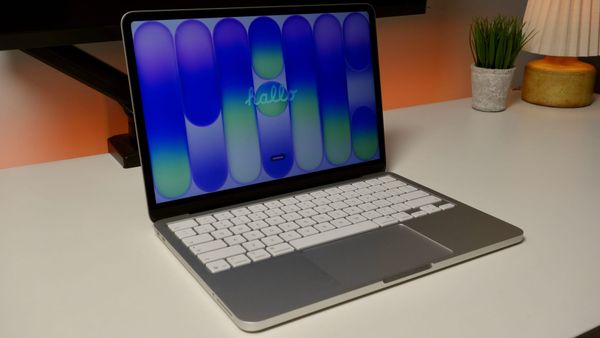
I Tested 5 USB Hubs Under $30 for My New MacBook Neo
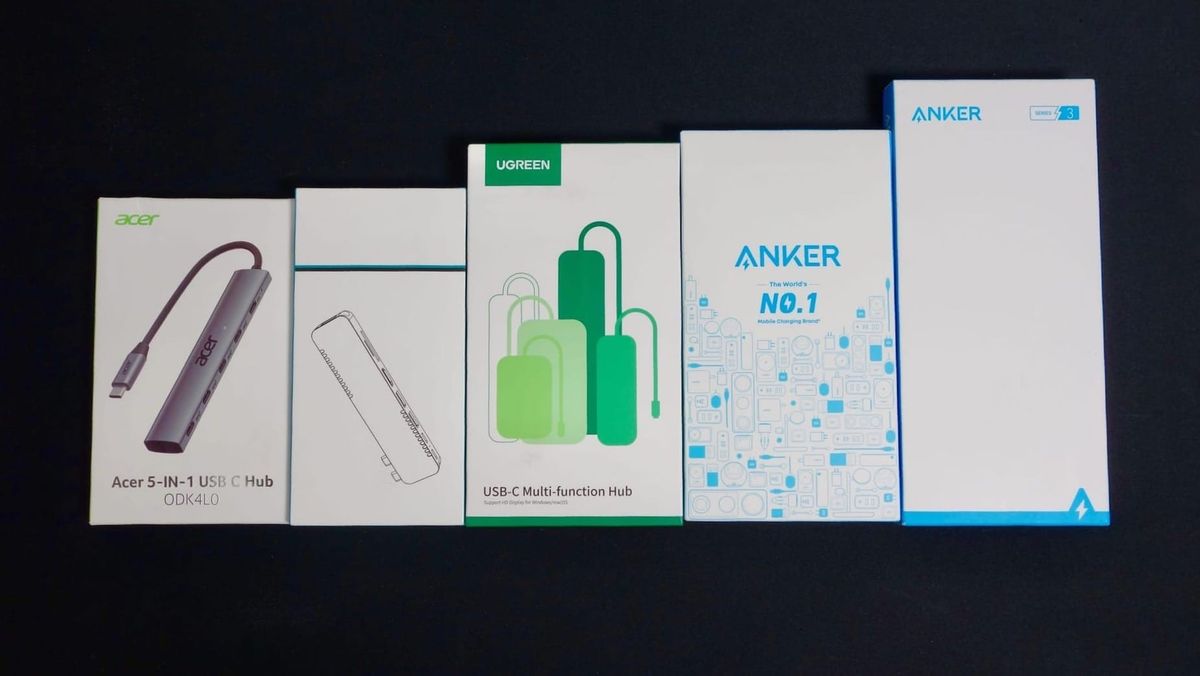
A USB Hub is an essential piece of gear for any MacBook Neo owner. Here are 5 hubs I personally tested that you can buy for under $30.

If you buy through my links, I may earn a commission at absolutely no extra cost to you.
✅ My Picks
🤩 Best Overall: UGREEN Revodok Pro
💰 Best Budget: UGREEN Revodok Pro
A USB-Hub is an essential piece of gear for any MacBook Neo owner. With its 2 USB-C ports, the Neo lacks some important ports like an HDMI port or an SD card reader. A budget USB Hub can help fill this gap and make sure you've always got the ports you need for external devices like SSDs, displays, flash drives, audio interfaces, etc.
📝 A Note on Ports
The MacBook Neo has two USB-C ports that look identical. However, the port closest to the screen supports USB 3 and display output, while the port closest to the trackpad is a USB 2 port that you should only use for charging.
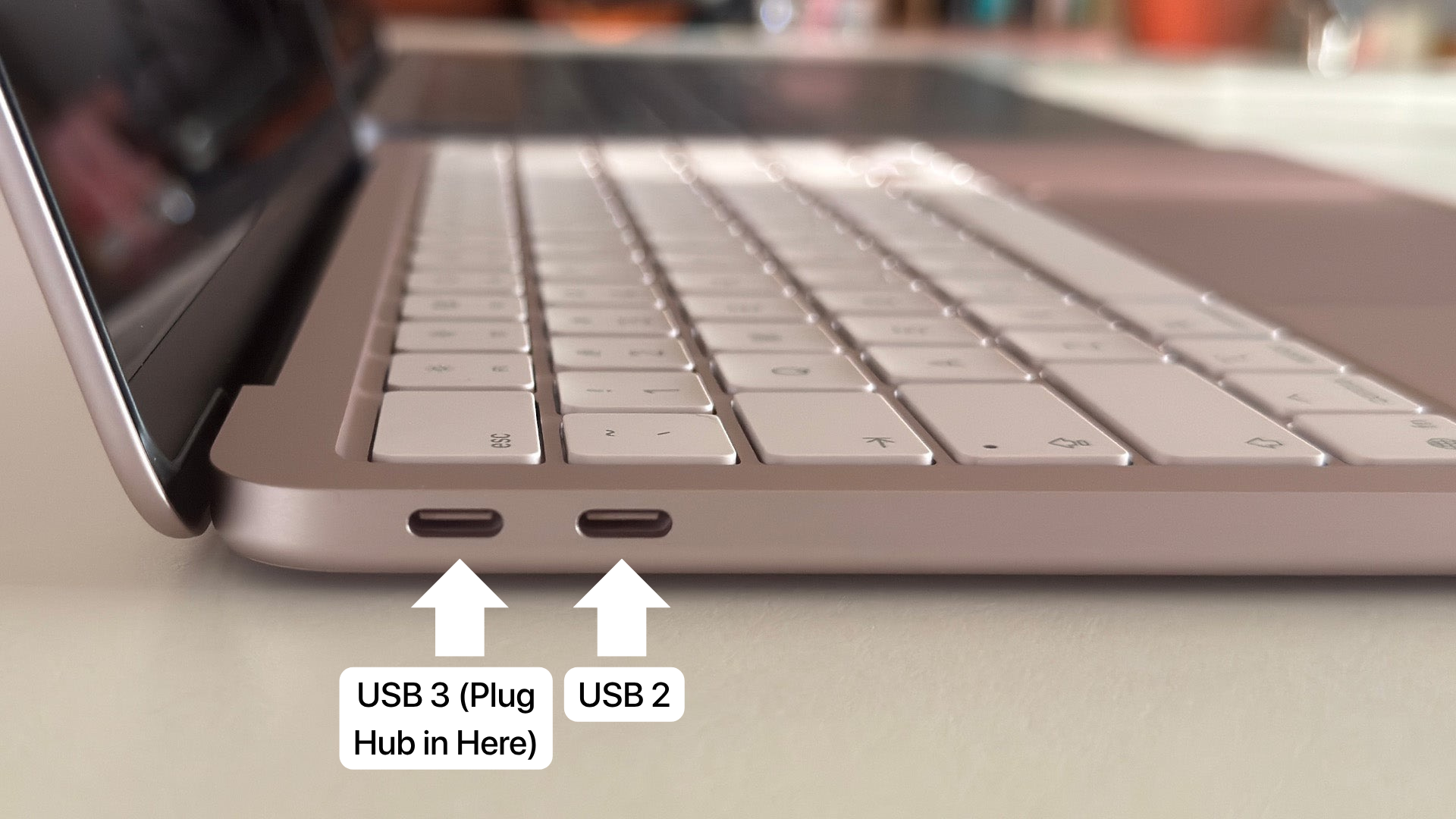
Regardless of whichever USB Hub you end up choosing, you should always plug it into the USB 3 port.
📝 A Note on Charging
The MacBook Neo supports a maximum of 30-35 Watt (30W-35W) charging.
The default Apple charger that comes in the box is a 20W charger.
I highly recommend buying a higher wattage charging brick - it'll work with all these hubs, and it'll charge your Neo faster than the included Apple charger.
I'll be testing a bunch and writing a guide soon.
My Methodology
I tested these 5 hubs in a few different categories:
💰 Price
Pretty self-explanatory - how much does the hub cost, and is it worth the money?
🔧 Build Quality
The overall quality of the hub and whether or not it seems durable.
👨🏼💻 Ports
How many ports does the hub have, and what can they do?
🖥️ Display Functionality
Does the hub allow for an external display? If so, does it work for HDMI only, or does it also support Display Port over USB-C?
🔌 Power Delivery
How well does the hub deliver power to (aka charge) my MacBook Neo while I'm using it? I tested the included 20W Apple charging brick & cable, as well as a 45W UGREEN power brick.
💿 Data Transfer
How quickly can data be transferred through the hub to and from an external drive? I tested data speed by transferring a 5Gb folder from my external SSD to through each hub to the Neo's internal hard drive.
Anker 5-in-1 USB-C Hub
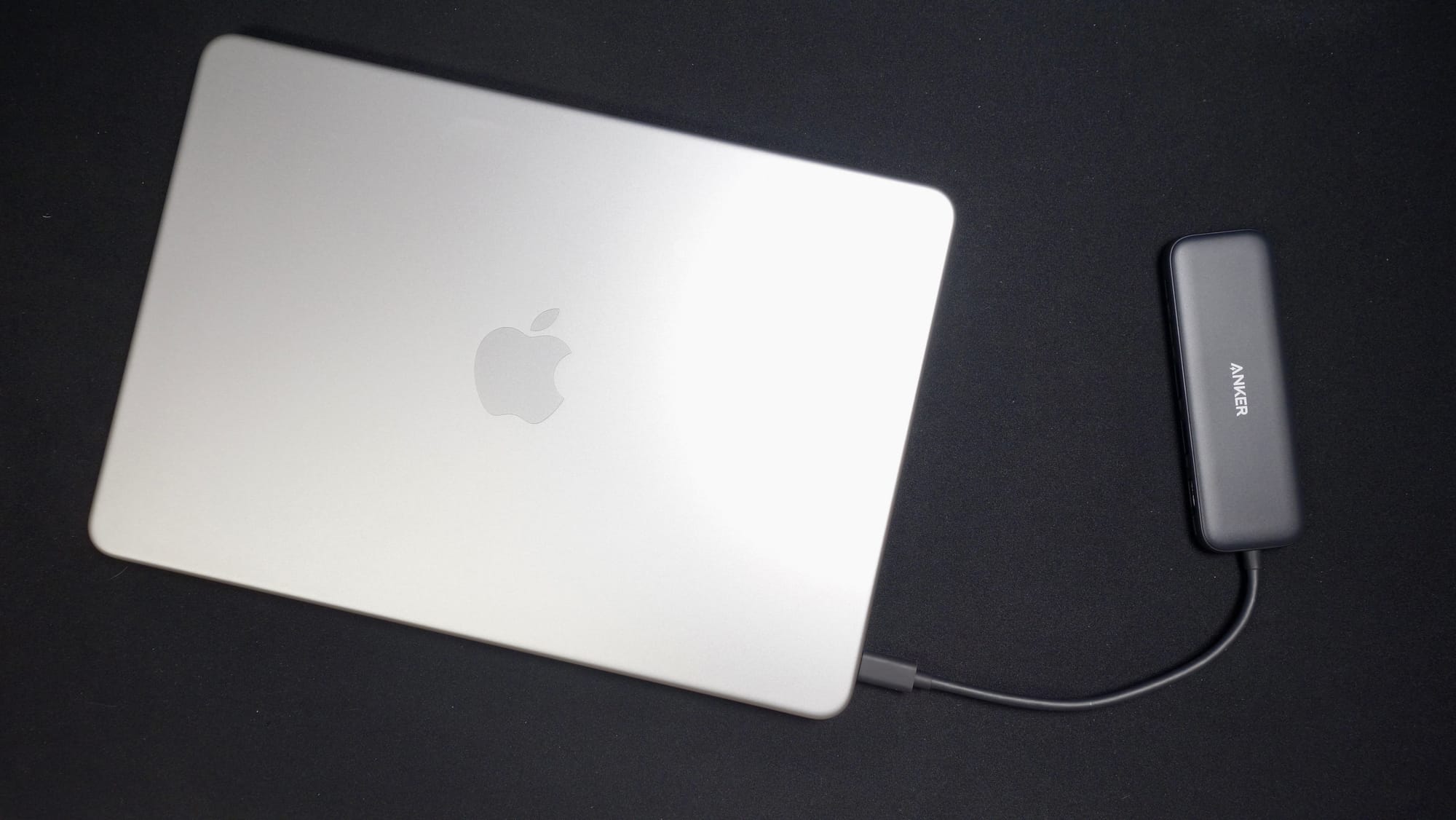
Overall Score - ⭐️⭐️⭐️ (2.7/5 Stars)
🛒 Buy it Here:
This is for you, if...
you're looking for a cheap hub, you don't care about build quality or speed, and you need USB-A as well as USB-C ports.
Price - ⭐️⭐️⭐️⭐️
At just $19, this hub is the second-cheapest hub of the 5 I tested. All things considered, it's a decent value for the money.
Build Quality - ⭐️⭐️
This is the only hub I tested that was made of plastic.
I'm not a huge fan of the plastic construction. The hub feels notably "cheaper" than the others, as does the rubbery cable coming off of it.
On the plus side, it's light and easy to toss into a bag or backpack.
Ports - ⭐️⭐️
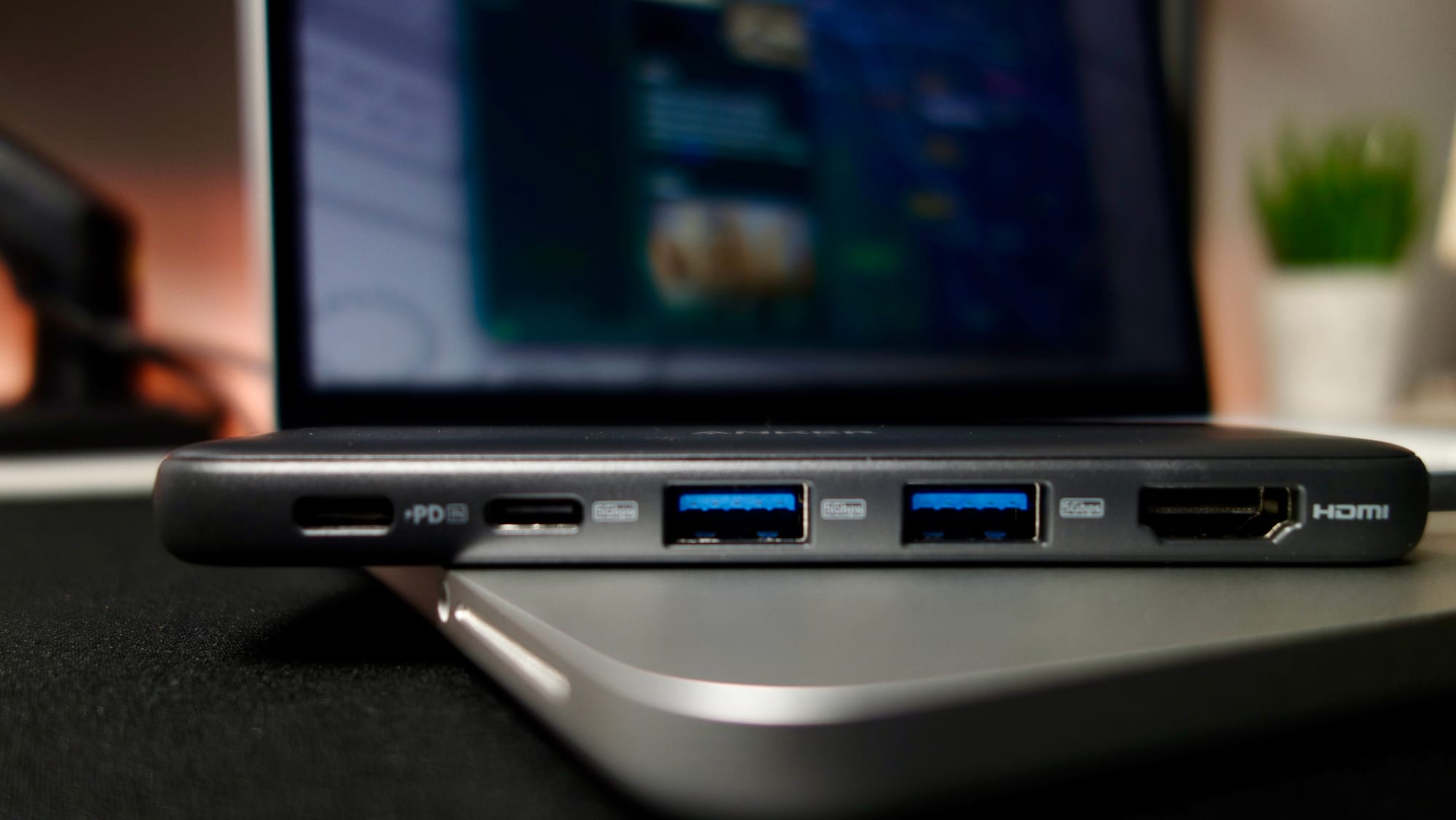
The Anker 5-in-1 USB Hub features 2x USB-C ports (including 1 Power Delivery), 2x USB-A ports, and an HDMI port.
In 2026, I feel like 2 USB-A ports is excessive, but maybe you have a few older devices or plugs you'd need these for.
The major downside with the ports on this hub is that they're 5GBPS (Gigabits per Second), which is half the speed of the ports on a lot of the other hubs you'll find these days.
I'm happy this hub has an HDMI port, as some of the more expensive options don't.
Display - ⭐️⭐️⭐️
The HDMI port on this hub works really well - it connected to my monitor quickly and gave me 120hz at 2K resolution with no issues.
The USB-C ports didn't work for my display port to USB-C cable, probably because of the lower port speeds. Sad.
Power Delivery - ⭐️⭐️
🍎 Official 20W Apple Charger: My Neo only drew 8.4W of power, so it wouldn't charge through this hub.
🔌 45W Charging Brick: Neo drew 30.6W of power and charged well.
Data Transfer - ⭐️⭐️⭐️
🚶🏼♀️ My 5Gb file transfer took 18.42 seconds - considerably faster than I expected, especially given that the theoretical max speed of the ports on this hub is only 5GBPS.
Anker 7-in-1 USB-C Hub
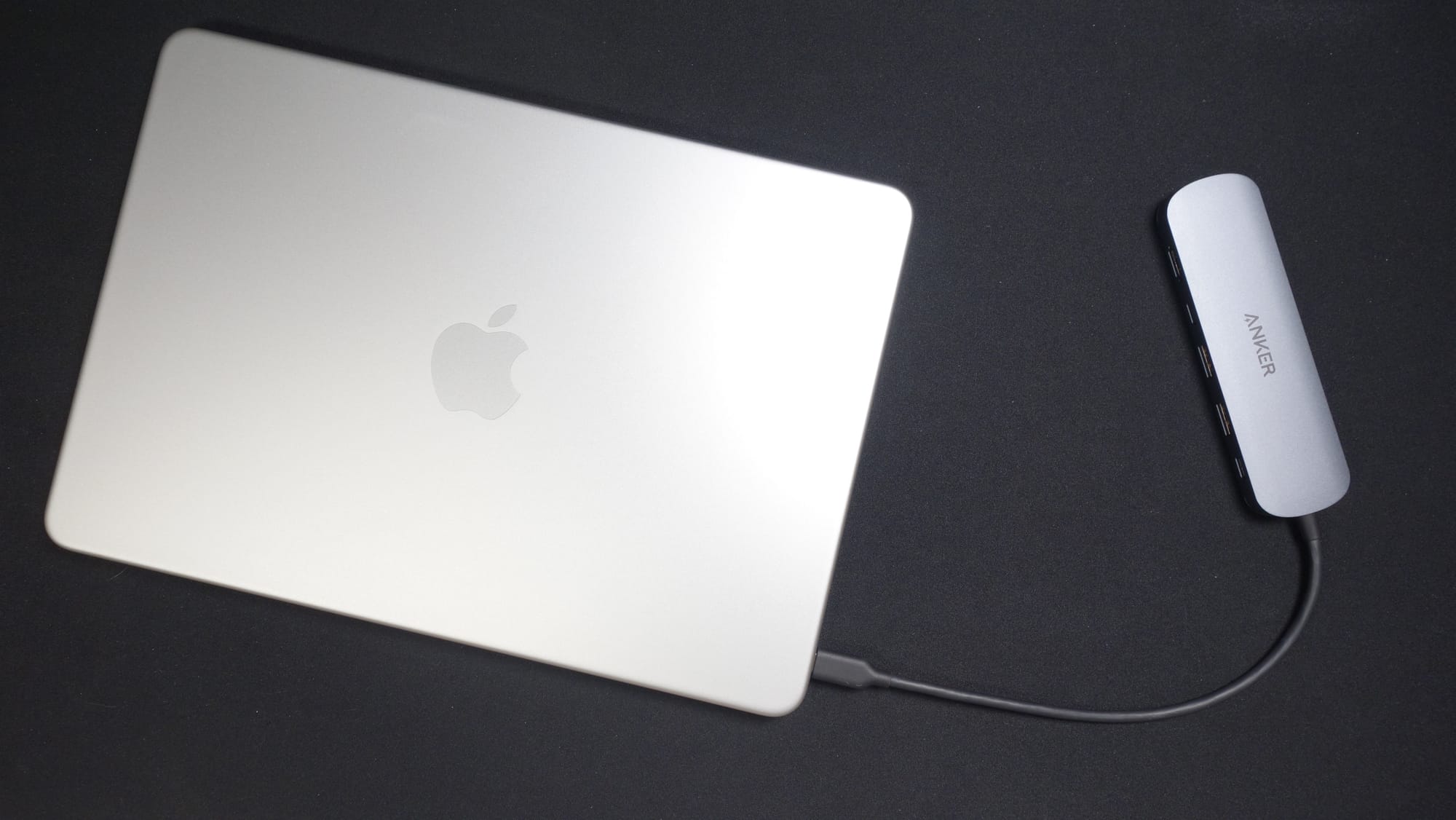
Overall Score - ⭐️⭐️⭐️ (2.8/5 Stars)
🛒 Buy it Here:
This is for you if...
you prioritize build quality over functionality, speed, and practicality, and you want an SD card reader.
Price - ⭐️⭐️
The Anker 7-in-1 was tied for the most expensive hub I tested at $26, but I still think this is a solid deal for the overall quality you're getting.
Build Quality - ⭐️⭐️⭐️⭐️
The build quality on this hub is superb. I've found Anker to have a high quality standard on a lot of their products, and this is no exception.
The hub feels weighty with a sleek metal design. I don't love the rubbery cable (similar to the 5-in-1), and it actually seems a bit longer than it has to be.
Ports - ⭐️⭐️⭐️
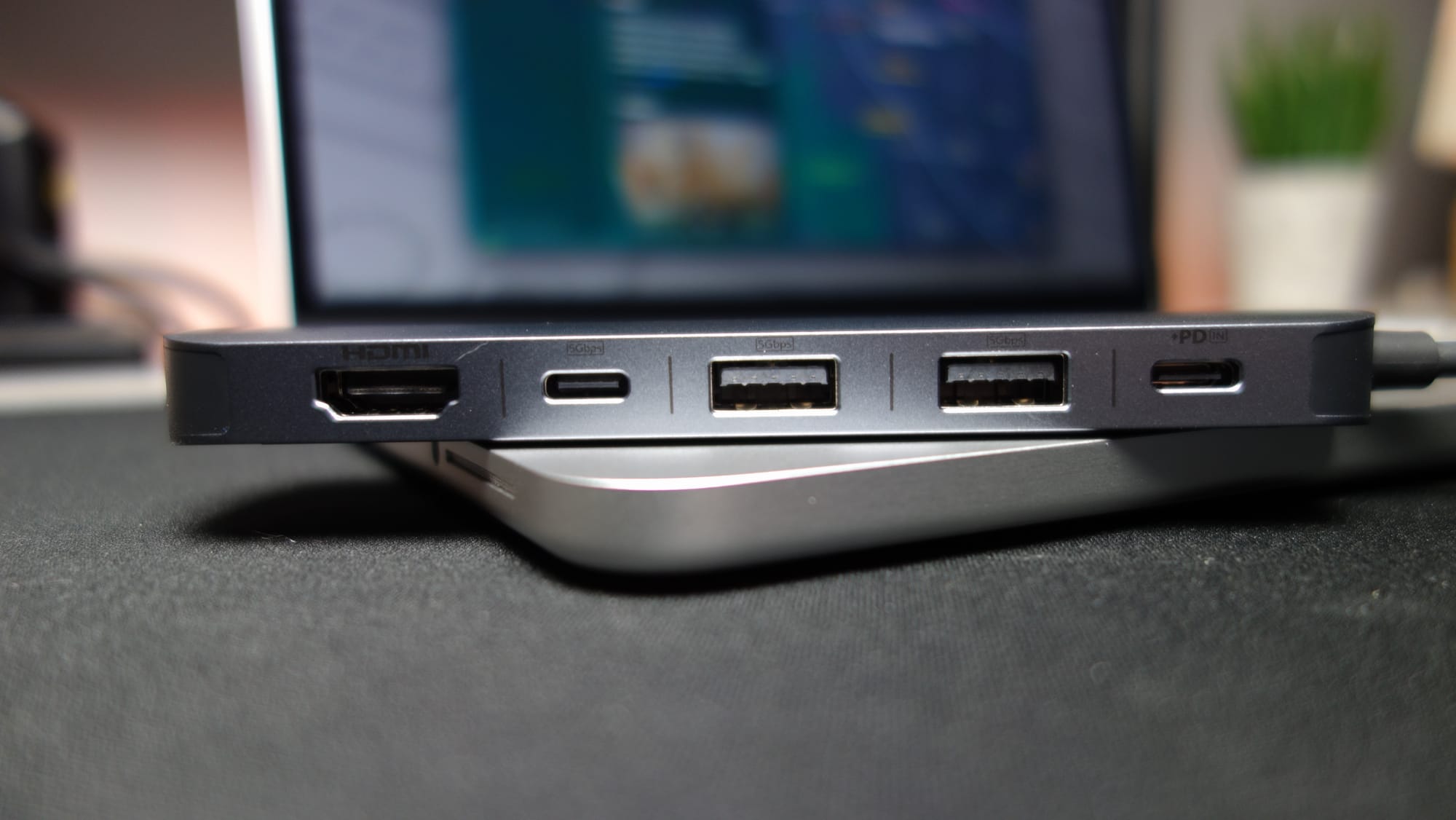
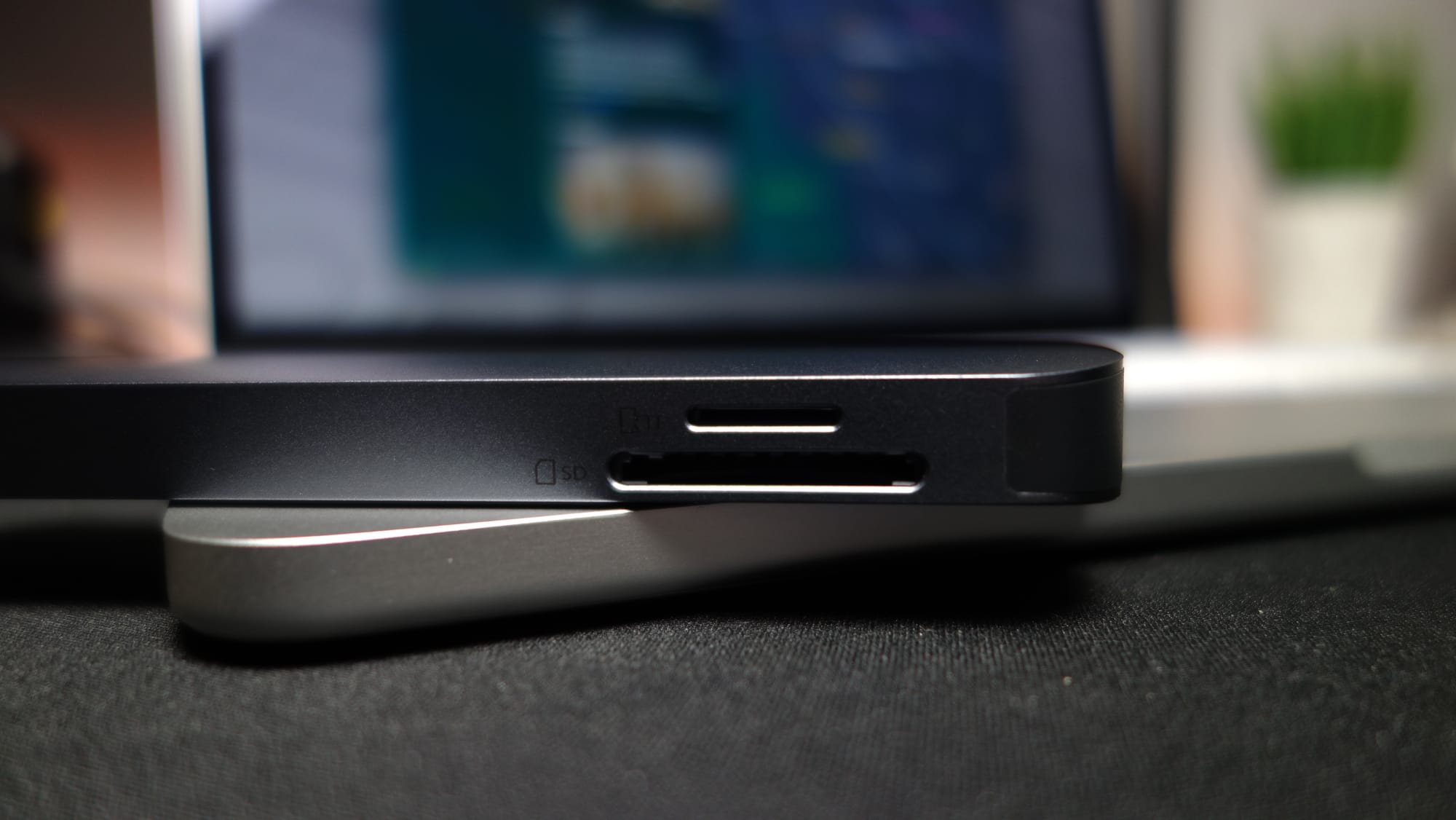
The Anker 7-in-1 USB-C hub boasts the same ports as the 5-in-1; 2x USB-C (including 1 Power Delivery), 2x USB-A, and an HDMI port. It also includes SD and microSD card readers on the back side, which is great.
I'm disappointed that at this price point, the hub still only has 5GBPS USB ports. I also still think that having 2 USB-A ports is overkill.
Display - ⭐️⭐️⭐️
The HDMI port worked great, giving me 120hz at 2k resolution with no issues.
I couldn't get the USB-C to Display Port functionality to work on this hub either. Not my favorite.
Power Delivery - ⭐️⭐️
🍎 Official 20W Apple Charger: My Neo drew 15W of power, so it wouldn't charge through this hub.
🔌 45W Charging Brick: Neo drew 30.8W of power and charged well.
Data Transfer - ⭐️⭐️⭐️
🐢 My 5Gb test folder took 20.81 seconds to move through this hub to my Neo's onboard hard drive. Good, but not great.
Acer 10GBPS USB-C Hub
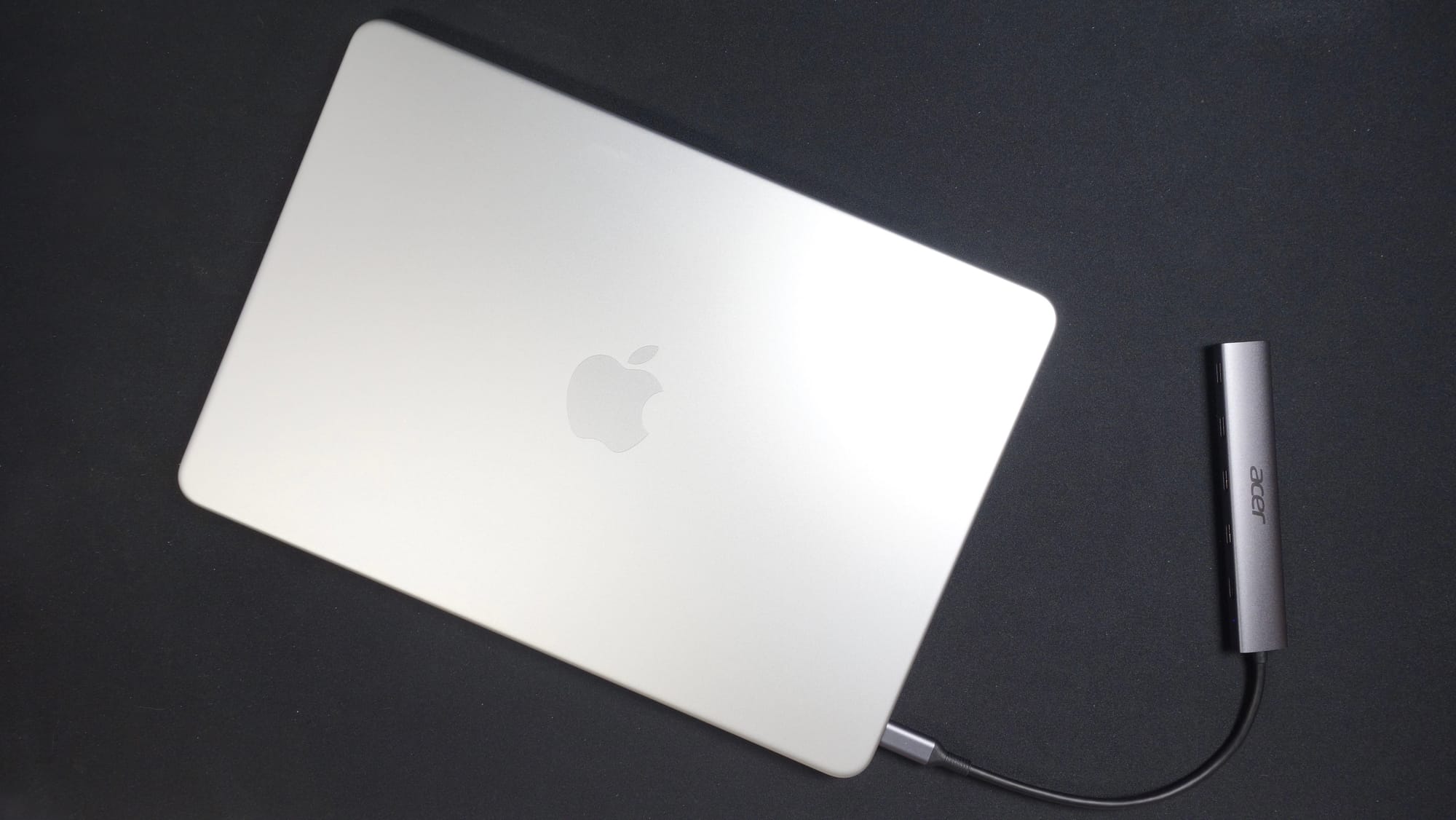
Overall Score: ⭐️⭐️⭐️ (3.3/5 Stars)
🛒 Buy it Here:
This is for you if...
you like well-made things that work well, you don't want to use an external monitor, and you've eradicated all USB-A devices from your life.
Price - ⭐️⭐️⭐️
This Acer hub tied with the Anker 7-in-1 for the most expensive on the list at $26.
It has some weird quirks but if you need a bunch of USB-C hubs, this is probably your best option under $30.
Build Quality - ⭐️⭐️⭐️⭐️
This thing is sleek, metallic, light (but not too light), and seriously low-profile. It would be great for traveling or carrying between classes and could easily fit in a pocket if needed.
Ports - ⭐️⭐️⭐️
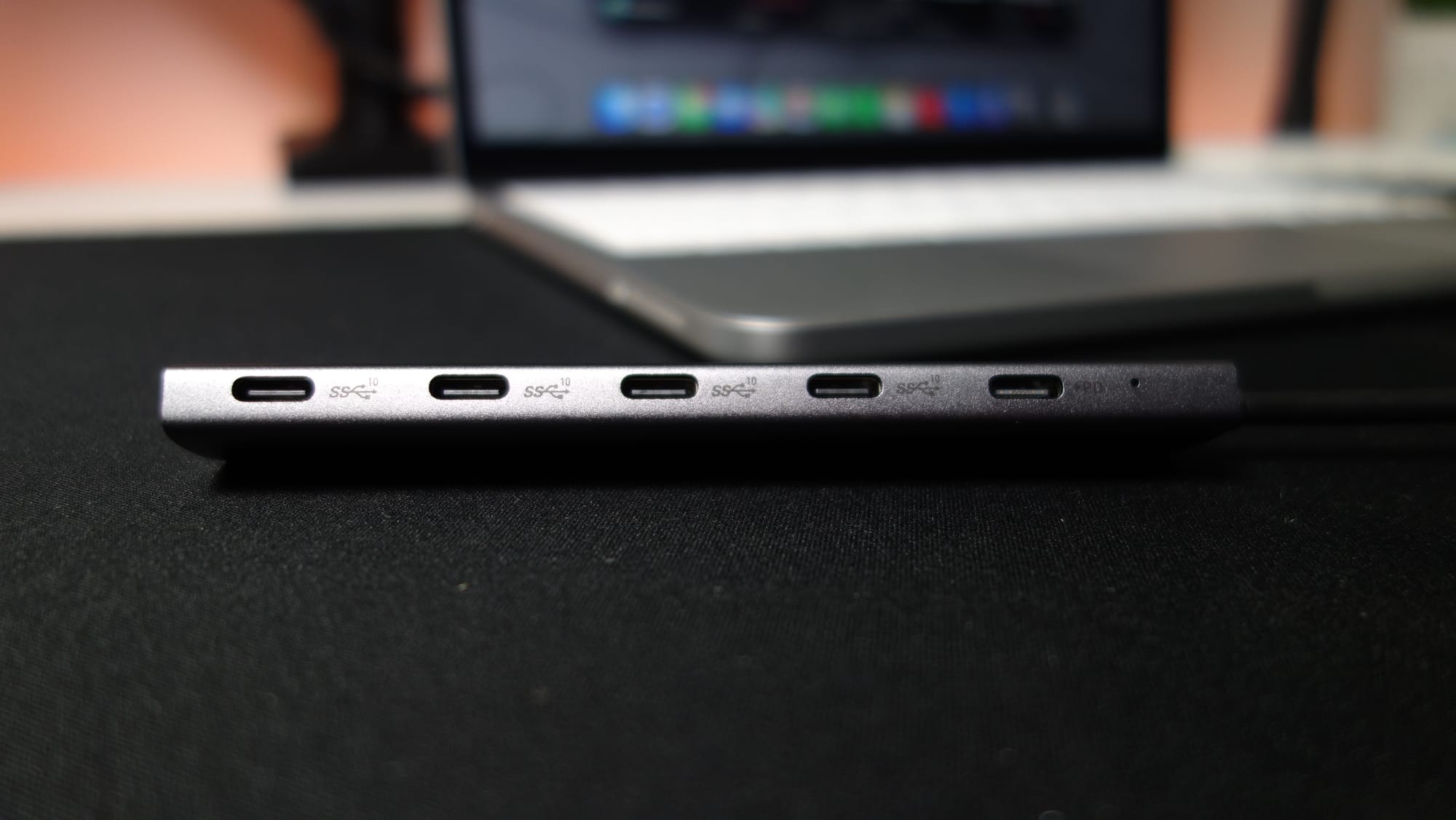
🚨 This hub does not support connecting an external monitor. Don't buy it if you want to use a monitor. Or an SD card. Or a USB-A port.
I'm glad the USB-C ports are all 10GBPS for faster data transfer speeds.
Display - ⭐️
I would give this 0 stars but I thought it would ruin the overall aesthetic of my post. 1 star it is.
Acer clearly states that this hub doesn't support an external display, but I actually didn't read that part before I bought it. Oops.
Power Delivery - ⭐️⭐️⭐️⭐️
This was the best hub I tested as far as power delivery goes.
🍎 Official 20W Apple Charger: My Neo drew 19W of power and charged well.
🔌 45W Charging Brick: Neo drew 32W of power and charged as quickly as it possibly could.
Data Transfer - ⭐️⭐️⭐️⭐️⭐️
⚡️ My 5Gb test folder took a mere 13.32 seconds to transfer through the hub. This hub is fast, it's sleek, and it's only for you if you need 1 type of port and 1 type only.
BHHB M82 USB-C Hub
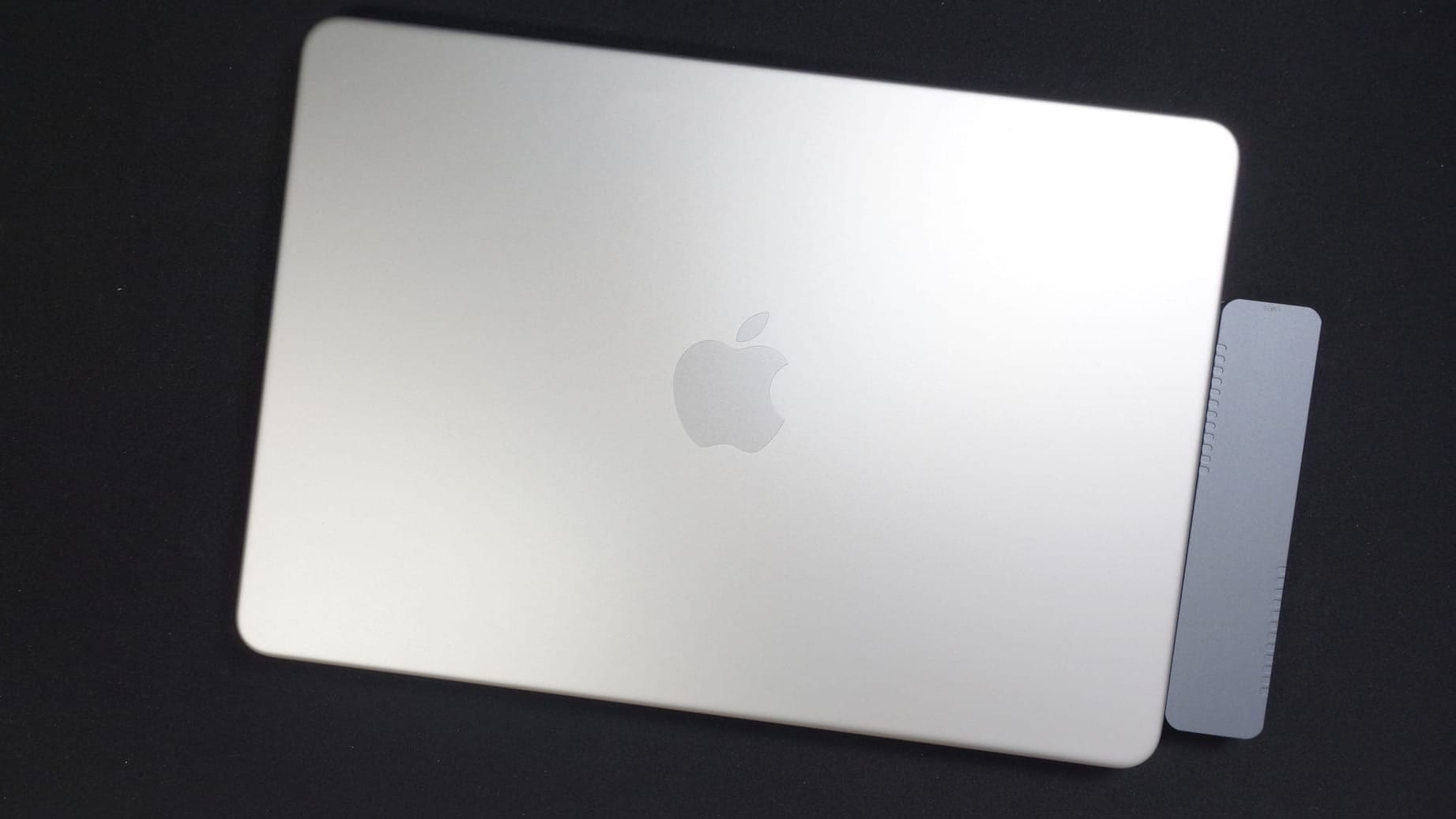
Overall Score: ⭐️⭐️⭐️⭐️ (3.5/5 Stars)
🛒 Buy it Here:
This is for you if...
you don't mind finagling, you need an SD card reader, and you can't stand dongle-style things hanging from your laptop.
Price - ⭐️⭐️⭐️⭐️
$23 is a solid price for this hub – middle-of-the-road for this category.
Build Quality - ⭐️⭐️⭐️⭐️
I was pleasantly surprised by the quality of this hub, especially given its blank-ish packaging and lack of a recognizable brand name.
The BHHB M82 is metal, has some nice weight to it, and doesn't feel like it would break or scratch under normal conditions.
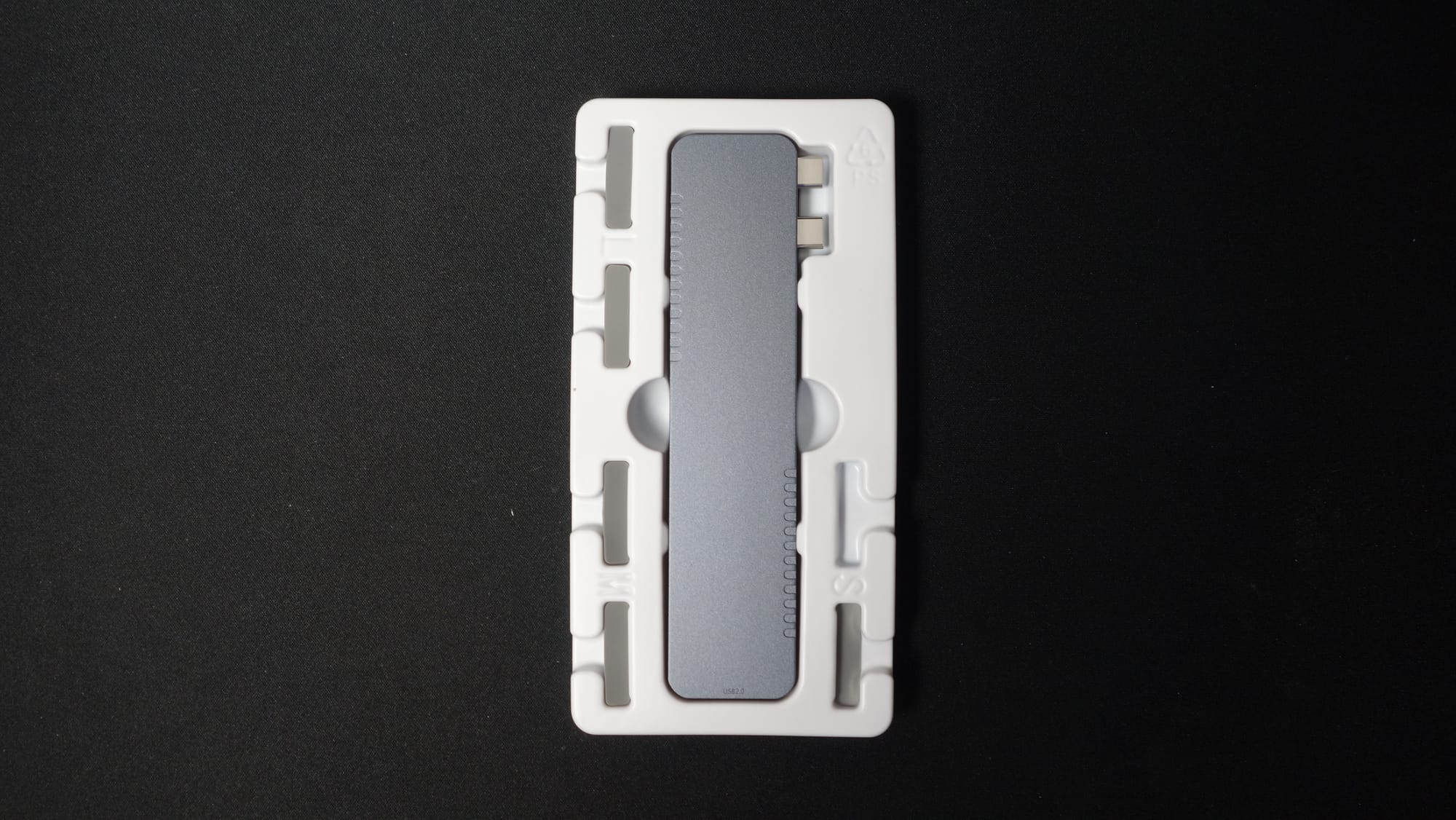
It even comes with adhesive spacer pads so it lines up perfectly flush with the side of your Neo.
Ports - ⭐️⭐️⭐️⭐
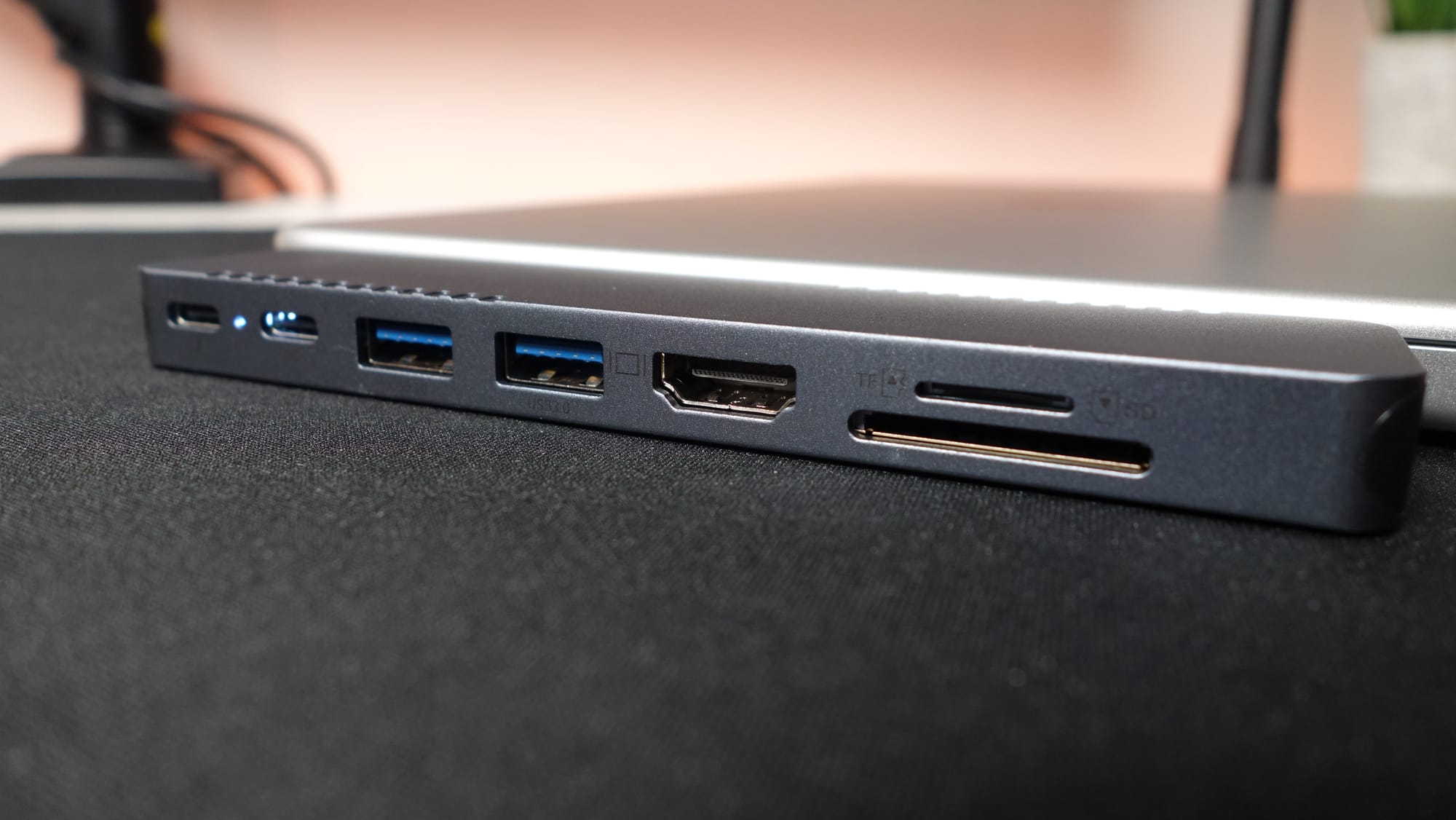
This hub features 2x USB-C ports (including 1 for power delivery), 2x USB-A ports, and HDMI port, and an SD/microSD card reader.
One of the USB-A ports is a slow, old school 480MBPS USB 2.0 port. The others are 5.0GBPS (slow-ish) ports, and the power delivery port supports super-fast Thunderbolt 4/5 speeds, but your MacBook Neo doesn't, so it's kind of irrelevant here.
Display - ⭐️⭐️⭐️
Here's where things get weird.
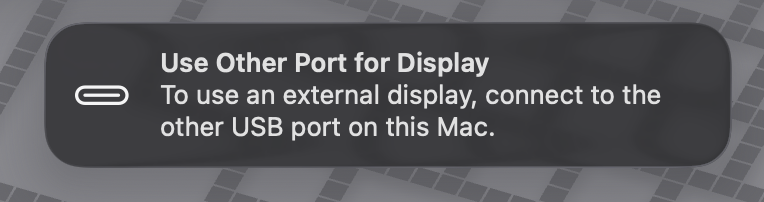
When you plug the BHHB M82 hub into your MacBook Neo, you'll be greeted with this message.
Why? This is the message that displays if you try to plug an external display cable into the USB 2 port on your Neo (the one closer to the trackpad).
This is precisely why I recommend plugging any hub into the rear port (closer to the screen) of your Neo. The issue with this hub is that it's got two USB-C plugs, so one goes into the port I recommend, and the other goes into the USB 2.0 port.
Because of this, the BHHB M82 HDMI connection won't work – unless you flip it around.
I can't blame the manufacturer for this – the dock was designed for MacBook Airs and MacBook Pros which each have two Thunderbolt 4/5 ports on them.
It's kind of annoying, but I found this workaround to fix issues with both HDMI and USB-C to DisplayPort functionality.
Power Delivery - ⭐️⭐️⭐️⭐️
🍎 Official 20W Apple Charger: My Neo drew 18.5W of power and charged just fine.
🔌 45W Charging Brick: Neo drew 31W of power and charged very quickly.
Data Transfer - ⭐️⭐️
🐌 My 5Gb test folder transferred through this hub in 25.17 seconds. Slow compared to the other hubs.
UGREEN Revodok Pro
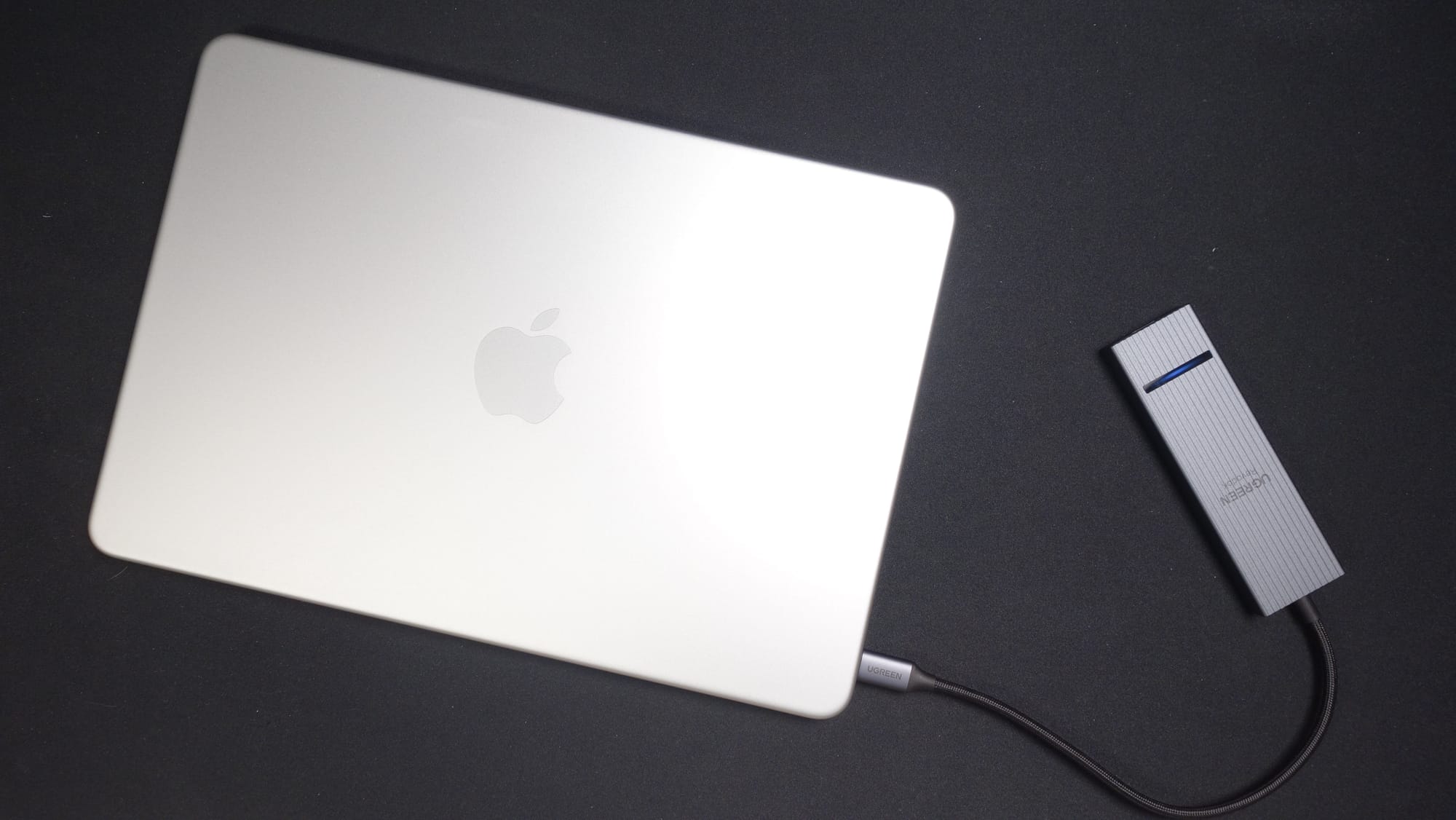
Overall Score: ⭐️⭐️⭐️⭐️ (4.0/5 Stars)
🛒 Buy it Here:
This is for you if...
you love yourself (and nice things).
Price - ⭐️⭐️⭐️⭐️⭐️
I can't believe this hub is only $16. Maybe Amazon made a mistake?
I just checked. It's still $16. Amazing.
Build Quality - ⭐️⭐️⭐️⭐️⭐️
Absolutely outstanding build quality. I love the indicator light bar on the top, the metal body, and the ridges on the top for grip. The cable has a beautiful braided design that I much preferred to the rubbery cables of the other hubs.
This hub feels SOLID.
Ports - ⭐️⭐️⭐️⭐️
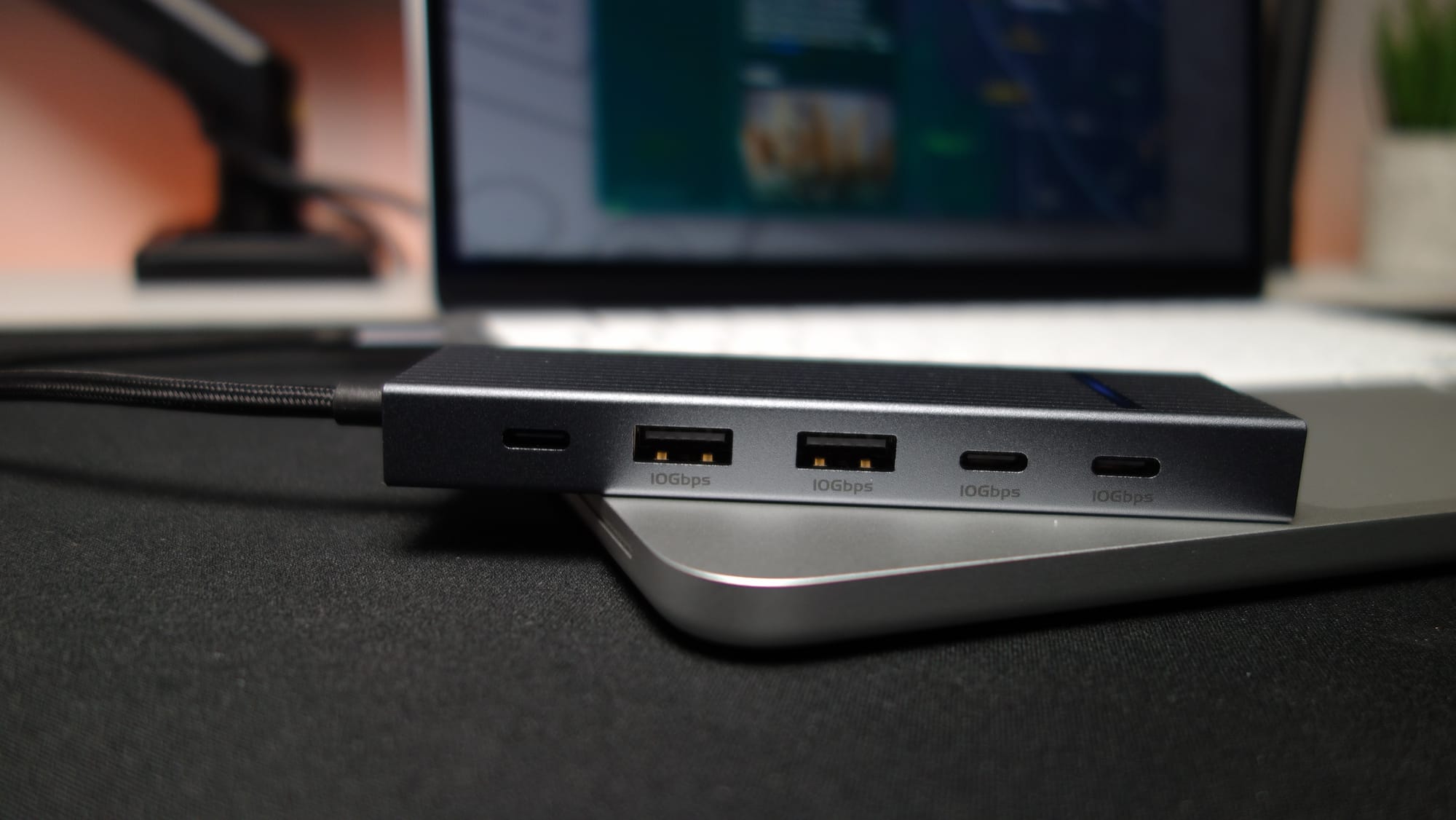
Minus an SD card reader, this hub has basically everything you could need out of a $16 hub.
The USB ports are 10GBPS (fast), and the HDMI port is on the end which could be nice for preventing some cable spaghetti.
☹️ One (minor) downside - I feel like the ports should be on the other side of the dock. The way it's designed, when the USB ports are facing you, the HDMI port is facing in toward the laptop rather than out toward a monitor.
Display - ⭐️⭐️⭐️⭐️
The HDMI port works wonderfully, providing 120hz at 2k resolution.
The USB-C ports don't work for displays. They turned my monitor on but it didn't have any signal.
Power Delivery - ⭐️⭐️
This was the only real major downside of the UGREEN Revodok Pro hub.
🍎 Official 20W Apple Charger: My Neo drew 15W of power and (sadly) wouldn't charge.
🔌 45W Charging Brick: Neo drew 32.3W of power and charged as quickly as it possibly could.
Data Transfer - ⭐️⭐️⭐️⭐️
🐰 My 5Gb test folder took only 14.97s to transfer through this hub. Awesome speed compared to most other hubs, especially at this ridiculously low price.
👍🏼 Want to buy these hubs for 30% off?
Sign up for my free weekly newsletter and get:
💰 The best used & refurbished Neo deals that I've scoured the internet for
🚨 Access to my members-only store with 30% discounts on accessories I've tested
📰 Important news & highlights from my recent articles & accessory reviews
💻 MacBook Neos for sale that I've personally repaired & refurbished (once broken ones become available)
Become a member here: